 FC Tools
FC Sniping
FC Sniping searches the transfer market for you, buys the players that match your price rules, and lists them again. Prices come from the site you choose.
- Works in your browser
- Choose your price source
- Discord alerts
- Stops on captcha
What it does
Everything runs inside the Web App. Pick a group to see what is in it.
Filters that fit your plan
Set a price range, rating, rarity and chemistry style for each search. Cards outside the price range are ignored.
Buy now, automatically
Buys matching players the moment they appear and confirms the buy popup for you.
Saved filters
Save your filters, switch between them in sequence, and upload or download filter files to share between devices.
Bargain marking
Highlights bargains in the market based on the current bid, so good deals stand out.
Random pauses
Pick a random pause between searches, such as 2 to 6, 4 to 10 or 8 to 15 seconds. Longer pauses are gentler on your account.
Auto stop and rest
Stop after a number of searches or after a set time, or take a rest period and resume on its own.
Captcha stop
If EA asks for a captcha, FC Sniping stops and tells you, so you can solve it in the Web App.
Four price sources
Choose FUTBIN, FUT.GG, FUTWIZ or FUTNEXT. The tool shows that site's price on cards.
Squad and SBC price
See the price of your squad and of SBC players inside the Web App.
Calculate Min BIN
Work out the lowest buy-now price for a player from the market.
List and re-list
List cards at the price from your chosen source, at the lowest market price, or at a fixed price. Re-list unsold items in one click.
Cover the tax
List so that you cover the 5% EA tax, and see what you lost to tax after a sale.
Move cards
Send bought cards to your club, the transfer list or unassigned items, or quick sell them.
Discord alerts
Get buy and lost notifications in your own Discord channel, with an option to hide your username.
Sound alerts
Play a sound when you buy a card.
Purchase history
See what you bought and download the history as a CSV file.
Auto open packs
Open packs automatically.
Buy missing SBC players
Lists the players an SBC still needs and buys them.
By hand or with FC Sniping
The same market, two ways.
By hand
- Refresh the transfer market again and again
- Compare every card to a price site yourself
- Click buy fast enough to win the card
- List each card one by one
- Stay at the screen all day
With FC Sniping
- Searches your filters on its own, at the speed you choose
- Shows the price from the site you picked
- Buys the cards that match your price rules
- Lists and re-lists in a click
- Tells you on Discord when it buys or loses a card
Know the moment it buys
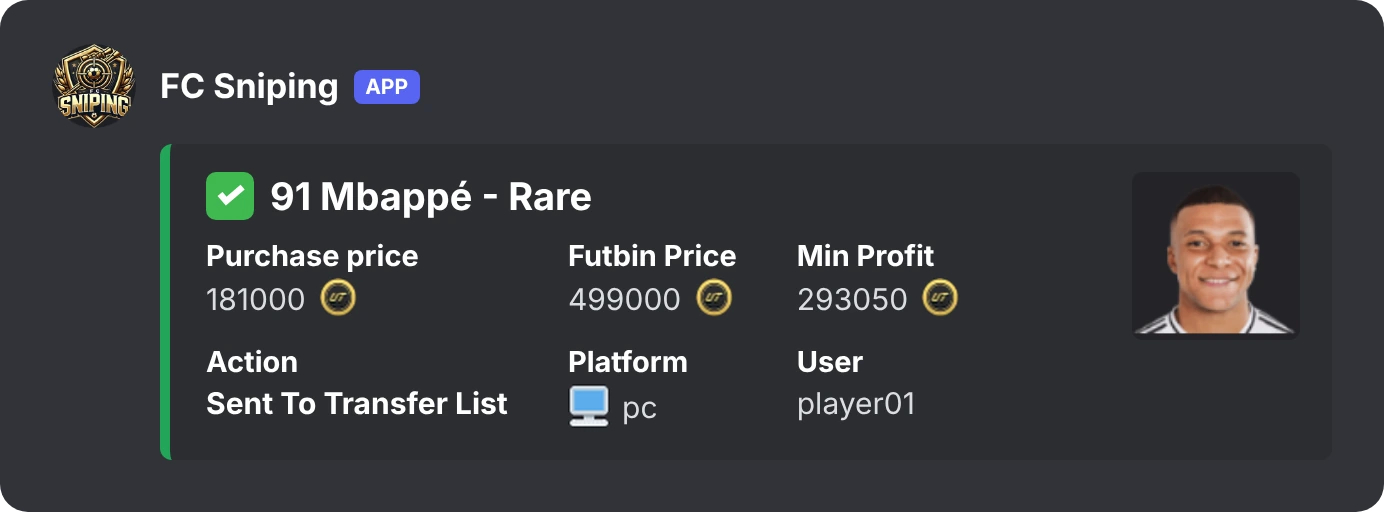
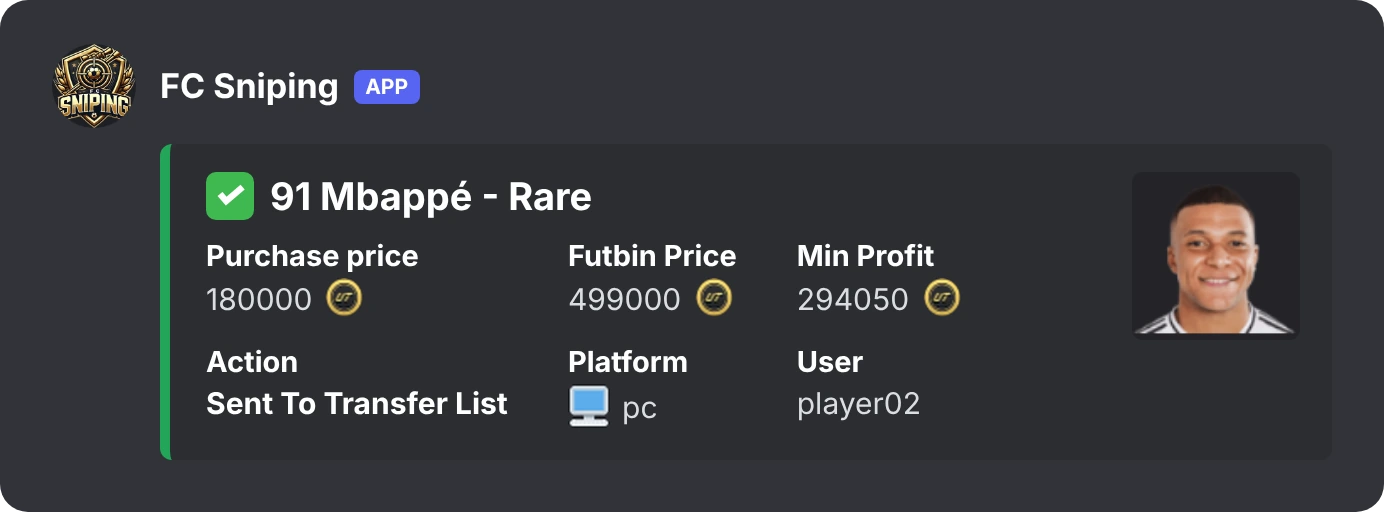
FC Sniping posts to your own Discord channel when it buys a player: the price you paid, the FUTBIN price, your minimum profit, and what happened to the card.
Get started in four steps
It takes a few minutes.
- Create your accountRegister on this site with a valid email. One account is for one tool.
- Get your subscriptionMessage us on Discord. We tell you how to pay and switch your account on.
- Install the scriptAdd FC Sniping to Tampermonkey (or Violentmonkey) from the Downloads page.
- Open the Web App and log inOpen the EA FC Web App and log in to FC Sniping with your username and password.
Pricing
One simple price. After you pay, we activate your account.
FC Sniping
- All features
- Link several EA accounts
- One session at a time
- 1-year subscription
How to pay
Message us on Discord. We send the payment details and switch your account on, usually within a day.
Not working on your setup? Message support within 48 hours for a refund.
Questions
Where does it work?
In the EA FC Web App, in your browser. It does not work in the console game or the companion app.
Which price sites can I use?
FUTBIN, FUT.GG, FUTWIZ and FUTNEXT. You choose one in your account panel and the tool shows that site's prices.
Can I run it on two computers at once?
No. One session is active at a time. If you log in somewhere else, the first session stops. You can still link several EA accounts to your FC Sniping account.
What happens if EA shows a captcha?
FC Sniping stops and tells you. Solve the captcha in the Web App, then start again.
Is my account safe?
FC Sniping never asks for your EA password. Even so, automation can lead to transfer market restrictions or account action. Use long pauses and sensible search limits, and use it at your own risk.
How do I get activated?
Create an account on this site, then message us on Discord. We activate it and you can log in to the tool.
How long does a subscription last?
FC Sniping is a 1-year subscription.
Refunds?
Message support within 48 hours if the script does not work on your setup.
Ready to try FC Sniping?
Create your account, then message us and we switch it on.